Stay tuned with our latest AI Voice Blog
Discover the latest trends, tips, and insights in AI-powered music, songwriting, and voice generation.
Turning written text into realistic speech used to require expensive recording equipment and professional voice actors. Today, modern AI voice technology makes it possible to generate natural-sounding audio in just seconds.Whether you're a YouTuber, marketer, educator, or business owner, this guide will show you exactly how to convert text to natural speech quickly and professionally.What Is Text to Speech (TTS)?Text to speech (TTS) is an AI technology that transforms written text into spoken audio using advanced neural voice models.Modern platforms like AiVoices.Pro can produce voices that sound:Natural and human-likeEmotionally expressiveClear and studio-qualityMultilingualThe key is using the right process and settings.Step-by-Step: Convert Text to Natural SpeechFollow this simple workflow.Step 1: Prepare a Conversational ScriptThe biggest factor in natural sound is your script.Write like you speakBad example:In today’s digital technological landscape…Better example:Today, we’re going to look at something really interesting.Script best practices:✅ Use short sentences✅ Write conversationally✅ Avoid complex jargon✅ Use contractions (it’s, you’ll, we’re)✅ Read it out loud first💡 If the script sounds human when read, the AI voice will sound better.Step 2: Choose a High-Quality AI VoiceNot all voices are equal.Inside AiVoices.Pro, select a voice that matches your content style.Voice selection tips:Education → calm and clearMarketing → confident and energeticStorytelling → warm and expressiveTech content → neutral and modernPro tip: Test 2–3 voices before deciding.Step 3: Adjust Voice Settings for RealismThis is where many beginners fail.To get natural speech, fine-tune:Speaking speedTone/styleExpressivenessPausesRecommended settings:✅ Slightly slower than default✅ Medium expressiveness✅ Natural pacing❌ Avoid maximum speed❌ Avoid extreme emotion settingsSmall tweaks make a huge difference.Step 4: Use Punctuation to Control FlowAI voices rely heavily on punctuation cues.How punctuation affects speech:Period (.) → full pauseComma (,) → short pauseEllipsis (…) → longer pauseQuestion mark (?) → rising toneLine break → breathing spaceExample optimized script:Welcome back to the channel.Today, we’re testing something new…Let’s get started.This dramatically improves realism.Step 5: Generate the Voice in AiVoices.ProNow the easy part.Quick workflow:Paste your textSelect voiceAdjust settingsClick GeneratePreview audioDownload file⏱️ Total time: often under 30 seconds.Step 6: (Optional) Polish the Audio for Studio QualityFor professional projects, add light post-processing.Recommended improvements:Normalize volumeAdd light compressionRemove long silencesAdd subtle background musicSync with videoUseful tools:AudacityAdobe AuditionCapCutPremiere ProThis step is optional but powerful.Best Use Cases for Fast Text-to-SpeechAI voice conversion works especially well for:YouTube videosTikTok/Reels narrationE-learning coursesProduct demosExplainer videosAudiobooksPodcasts (short-form)Blog audio versionsBusinesses and creators are using this daily.Common Mistakes to AvoidAvoid these beginner errors:❌ Writing robotic scripts❌ Using overly fast speed❌ Ignoring punctuation❌ Choosing the wrong voice style❌ Skipping preview❌ Over-editing the audioFixing these alone can dramatically improve quality.Pro Tips for Ultra-Natural AI SpeechWant next-level realism?🔥 Add natural contractions🔥 Break long sentences🔥 Use emotional cues in text🔥 Keep sentences under 20 words🔥 Test multiple voices🔥 Add subtle background musicProfessional creators always iterate.Final ThoughtsConverting text to natural speech is now faster and easier than ever. With the right script, voice selection, and fine-tuning, you can produce studio-quality audio in seconds.The technology is powerful — but the results depend on how you use it.👉 Ready to generate natural AI speech instantly?Try AiVoices.Pro and create professional voiceovers in seconds.FAQHow fast is text to speech conversion?Most modern tools generate audio in seconds, depending on script length.Can AI voices sound completely human?They are very close. With proper scripting and settings, many listeners cannot easily tell the difference.Is text to speech free to use?Many platforms offer free trials, but advanced features typically require a paid plan.
AI voice technology has opened the door for creators to produce professional audio content faster and cheaper than ever before. But the big question is:How do you actually make money with AI voice content?In this beginner-friendly guide, you’ll discover the most profitable ways to monetize AI voiceovers in 2026 — even if you’re starting from zero.Why AI Voice Content Is BoomingBefore jumping into monetization, it’s important to understand why AI voice is exploding right now.Key advantages:✅ No recording equipment needed✅ Extremely fast production✅ Scalable content creation✅ Multiple languages and voices✅ Perfect for faceless contentBecause of these benefits, many creators are building entire income streams around AI voice generation.7 Proven Ways to Monetize AI Voice ContentLet’s explore the best beginner-friendly methods.1. Start a Faceless YouTube ChannelThis is the #1 most popular method.With tools like AiVoices.Pro, you can create YouTube videos without ever recording your own voice.How it works:Pick a niche (finance, tech, motivation, facts, etc.)Write or generate scriptsCreate AI voiceoversAdd stock footage or visualsUpload consistentlyHow you earn:YouTube AdSenseAffiliate linksSponsorshipsDigital products💡 Many faceless channels earn $500–$10,000/month once scaled.2. Sell Voiceovers on Freelance PlatformsBusinesses constantly need voiceovers.Even if you’re using AI (ethically and transparently), there is strong demand on:FiverrUpworkFreelancerPeoplePerHourServices you can offer:YouTube narrationExplainer videosTikTok voiceoversPodcast introsAd voiceoversBeginner tip: Start with competitive pricing to build reviews.3. Create and Sell AudiobooksAudiobooks are booming — and AI makes production much faster.Platforms to publish:Amazon ACXAudibleFindaway VoicesGumroadYour own websiteBest niches:Self-helpShort storiesEducational guidesChildren’s booksNiche non-fiction⚠️ Always check platform rules regarding AI narration.4. Offer AI Voice Services to BusinessesSmall businesses increasingly want affordable voice solutions.High-demand business uses:Product demosTraining videosPhone IVR systemsSocial media adsE-learning narrationYou can package services like:“Professional AI voiceover for your business in 24 hours.”This can become a very stable income stream.5. Monetize Short-Form Content (TikTok, Reels, Shorts)Short-form content is exploding.AI voice makes it easy to produce large volumes quickly.Content ideas:Motivational clipsFacts channelsStory channelsFinance tipsTech explainersReddit storiesMonetization methods:Creator fundsAffiliate marketingPaid promotionsTraffic to YouTubeSelling digital productsThis method scales extremely well.6. Build a Niche Content WebsiteYou can use AI voice to create audio versions of blog content.Smart strategy:Write SEO blog postsAdd AI audio narrationIncrease time on pageImprove accessibilityMonetize with ads and affiliatesThis is an underrated but powerful long-term play.7. Create and Sell Digital ProductsAI voice can power many digital products.Examples:Language learning audioMeditation tracksSleep storiesKids learning audioGuided workoutsAffirmation packsSell them on:GumroadShopifyEtsyYour own siteDigital products = high margins.Beginner Roadmap (Step-by-Step)If you’re starting from zero, follow this simple path:Week 1–2:Learn AI voice tools (AiVoices.Pro)Practice script writingTest different voicesWeek 3–4:Pick ONE monetization methodCreate your first contentPublish consistentlyMonth 2–3:Optimize based on resultsScale content productionAdd second revenue streamConsistency beats perfection.Common Mistakes to AvoidMany beginners fail because they:❌ Choose saturated niches❌ Use robotic scripts❌ Post inconsistently❌ Ignore SEO❌ Expect instant money❌ Use poor voice settingsAvoid these and you’ll move faster than most beginners.Pro Tips for Faster Monetization🔥 Focus on one niche first🔥 Use conversational scripts🔥 Keep videos under 10 minutes (initially)🔥 Test multiple voices🔥 Post consistently for 60–90 days🔥 Study successful faceless channelsMomentum is everything.Final ThoughtsAI voice technology has created one of the biggest opportunities for online creators in recent years.You no longer need:Expensive microphonesRecording studiosVoice acting skillsWith the right strategy and tools like AiVoices.Pro, beginners can realistically build profitable content businesses.The key is simple:👉 Start small👉 Stay consistent👉 Scale what worksFAQIs it legal to monetize AI voice content?Yes, in most cases — as long as you follow platform policies and avoid impersonation or misleading use.How much can beginners earn?Many beginners start with $50–$500/month, while scaled creators can reach $1,000+/month and beyond.What is the fastest monetization method?Faceless YouTube + affiliate marketing is currently the fastest scalable path.👉 Ready to start monetizing your AI voice content?Try AiVoices.Pro and create professional voiceovers in seconds.
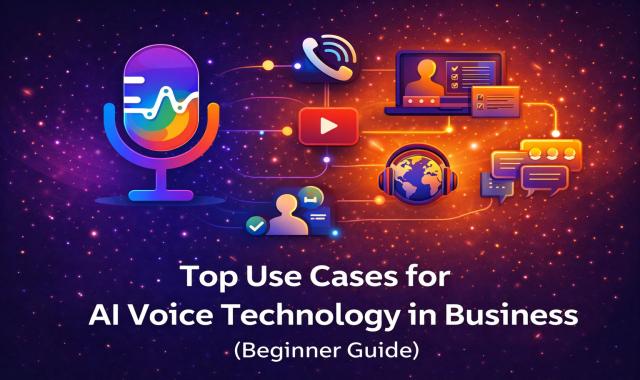
AI voice technology is no longer just a novelty — it has become a powerful business tool used by startups, agencies, and global enterprises.From customer support to marketing automation, companies are leveraging AI-generated voices to save time, reduce costs, and scale content production.In this guide, we explore the top business use cases for AI voice technology and how your company can benefit in 2026.Why Businesses Are Adopting AI VoiceBefore diving into the use cases, here’s why AI voice adoption is accelerating:✅ Lower production costs✅ Faster content creation✅ Consistent brand voice✅ Multilingual scalability✅ 24/7 automation✅ Easy updates and editsTools like AiVoices.Pro make professional voice generation accessible to businesses of all sizes.1. Customer Support & IVR SystemsOne of the biggest business applications is automated phone systems.Common uses:Interactive Voice Response (IVR)Call routing menusAutomated customer greetingsHold messagesAfter-hours supportBusiness benefits:Reduce call center costsProvide 24/7 availabilityMaintain consistent messagingImprove customer experience💡 AI voice IVR sounds far more natural today than traditional robotic systems.2. Marketing & Advertising VoiceoversMarketing teams are rapidly adopting AI voice for content production.Popular marketing uses:Video adsSocial media promosProduct launchesExplainer videosLanding page videosYouTube adsWhy businesses love it:Faster campaign turnaroundEasy A/B testing of different voicesLower production budgetsQuick script updatesAI voice is especially powerful for high-volume ad production.3. E-Learning and Corporate TrainingThe e-learning industry is one of the biggest winners.Business training applications:Employee onboardingCompliance trainingSafety instructionsInternal knowledge basesEducational coursesKey advantages:Scale training globallyUpdate content instantlySupport multiple languagesMaintain consistent toneMany companies now generate entire training libraries using AI voice.4. Content Marketing & YouTube AutomationBusinesses are becoming media companies — and AI voice makes this scalable.Common content uses:Educational YouTube channelsPodcast-style contentBlog-to-audio conversionIndustry news summariesThought leadership videosStrategic benefits:Increase brand visibilityDrive organic trafficBuild authority in nicheRepurpose written contentThis is one of the fastest-growing business use cases.5. Product Demonstrations & Explainer VideosProduct teams need clear, professional narration.AI voice works perfectly for:SaaS product walkthroughsApp demosFeature announcementsTutorial videosUser onboarding flowsWhy AI wins here:Easy to update when product changesNo need to re-recordConsistent brand voiceFast turnaroundFor software companies, this is a major efficiency gain.6. Multilingual Global ExpansionExpanding globally used to require hiring multiple voice actors.AI voice changes the game.Multilingual use cases:Localized marketing videosInternational trainingGlobal customer supportMulti-language product demosRegional advertisingBusiness impact:Enter new markets fasterReduce localization costsMaintain consistent brand toneScale internationallyThis is one of the highest ROI applications of AI voice.7. Social Media Content at ScaleModern businesses must produce large volumes of content.AI voice enables:Daily social videosTikTok/Reels narrationShort-form educational clipsPromotional snippetsNews-style updatesWhy this matters:Social algorithms reward volumeFaster content productionLower creative costsEasy trend adaptationCompanies using AI voice often outpace competitors in content output.8. Accessibility & Audio ContentAccessibility is both a legal requirement and a growth opportunity.Accessibility applications:Audio versions of blog postsVoice-enabled websitesAssistive technologyAudio summariesScreen reader enhancementsBusiness benefits:Reach wider audienceImprove SEO engagementMeet accessibility standardsEnhance user experienceSmart companies use AI voice to make content more inclusive.9. Internal CommunicationsMany businesses overlook this powerful use case.Internal voice applications:Executive announcementsCompany updatesHR communicationsPolicy briefingsInternal trainingWhy it works:Consistent deliveryProfessional toneEasy distributionScalable across teamsThis is especially useful for large organizations.10. Podcast and Audio Content ProductionBusinesses are entering the audio space rapidly.AI voice enables:Branded podcastsNews briefingsAudio newslettersIndustry updatesEducational seriesWhile human hosts still dominate premium podcasts, AI voice is excellent for:Short-form audioNews-style formatsScalable contentHow to Choose the Right Use CaseIf you’re just starting, ask:✅ Do we need high volume?✅ Do we need multiple languages?✅ Do we update content often?✅ Is speed important?✅ Are we trying to reduce costs?If you answered yes to most of these, AI voice is likely a strong fit.Final ThoughtsAI voice technology is rapidly becoming a core business tool, not just a creative experiment.Companies that adopt early gain advantages in:SpeedCost efficiencyGlobal reachContent scalabilityWith platforms like AiVoices.Pro, businesses of any size can now produce studio-quality voice content on demand.The question is no longer if businesses will adopt AI voice — but how fast.FAQIs AI voice professional enough for business use?Yes. Modern neural voices are widely used in marketing, training, and customer support.Does AI voice reduce costs significantly?In most cases, yes — especially for high-volume or frequently updated content.Can AI voice replace human voice actors completely?Not entirely. Human voices still excel in highly emotional or premium storytelling, but AI voice dominates in scalable business use cases.👉 Ready to use AI voice in your business?Try AiVoices.Pro and generate professional voice content in seconds.
Short-form video is dominating the internet — and AI voiceovers are powering a huge percentage of viral TikToks and Instagram Reels.If you want to create engaging, faceless, or scalable short videos, AI voice is one of the fastest ways to do it.In this complete guide, you’ll learn how to create high-performing AI voiceovers for TikTok and Reels, even if you’re starting from zero.Why AI Voice Is Perfect for Short-Form VideoTikTok and Reels reward speed, volume, and consistency — exactly where AI voice excels.Key advantages:✅ No need to record your own voice✅ Produce videos faster✅ Maintain consistent sound✅ Easily test multiple scripts✅ Scale content production✅ Create faceless channelsMany viral accounts now rely heavily on AI narration.Best Types of TikTok & Reels Content for AI VoiceNot every format performs equally. These niches work extremely well:🔥 High-performing formats:Facts and triviaMotivational clipsStorytellingReddit storiesFinance tipsTech explainersEducational mini-lessonsProductivity tipsBefore/after transformationsList-style videos (“Top 5…”)💡 If the content is informational or storytelling-based, AI voice works beautifully.Step-by-Step: Create AI Voiceovers for TikTok/ReelsStep 1: Write a Hook-First ScriptOn TikTok and Reels, the first 2 seconds are everything.Strong hook examples:“You’re using your phone wrong…”“This AI tool will shock you…”“Nobody talks about this trick…”“Here’s why most creators fail…”Script structure that works:Hook (0–2 sec)Value/contentQuick payoffCall to actionKeep sentences short and punchy.Step 2: Choose the Right AI VoiceFor short-form content, voice energy matters more than perfection.Inside AiVoices.Pro, choose:Recommended voice styles:Energetic for viral contentClear and fast for factsWarm for storytellingConfident for finance/businessPro tip: Slightly faster voices often perform better on TikTok.Step 3: Optimize Voice Settings for ShortsShort-form content needs different tuning than YouTube.Best settings:✅ Slightly faster speed✅ Medium-high clarity✅ Moderate expressiveness✅ Clean pacingAvoid:❌ Very slow speech❌ Overly dramatic tone❌ Monotone deliveryTikTok favors momentum.Step 4: Add Strategic PacingUse punctuation to control rhythm.Example optimized script:Stop scrolling.This AI trick can save you hours…Here’s how it works.This creates natural engagement beats.Step 5: Generate the Voice in AiVoices.ProQuick workflow:Paste your scriptSelect voiceAdjust speed/styleClick GenerateDownload audio⏱️ Usually under 30 seconds.Step 6: Sync Voice with Fast-Paced VisualsThis step separates viral videos from average ones.Visual best practices:Cut every 1–2 secondsUse captionsAdd motion graphicsUse pattern interruptsKeep strong visual flowThe voice should drive the pacing.Step 7: Add Captions (CRITICAL for Shorts)Most TikTok users watch without sound initially.Caption tips:✅ Large bold text✅ Highlight key words✅ Sync with voice✅ Use high contrast✅ Keep lines shortCaptions dramatically increase watch time.Best Video Length for AI Voice ShortsBased on current trends:TikTok: 7–25 seconds performs wellReels: 8–30 seconds sweet spotShorts: 15–35 seconds common💡 For beginners, aim for 15–25 seconds.Monetization Strategies for Short AI VideosOnce you gain traction, you can monetize via:💰 Creator funds💰 Affiliate links💰 Traffic to YouTube💰 Digital products💰 Sponsored posts💰 Lead generation💰 Selling servicesShort-form is often the top-of-funnel traffic engine.Common Mistakes to AvoidMany creators fail because they:❌ Start without a strong hook❌ Use slow boring voices❌ Make videos too long❌ Ignore captions❌ Post inconsistently❌ Overcomplicate editingFix these and your growth curve improves fast.Pro Tips for Viral AI Voice ShortsWant an edge?🔥 Hook in first 2 seconds🔥 Use curiosity gaps🔥 Keep sentences under 12 words🔥 Maintain fast pacing🔥 Post daily if possible🔥 Batch-produce content🔥 Study viral competitorsVolume + quality = growth.Final ThoughtsAI voiceovers have become one of the most powerful tools for TikTok and Reels creators.They allow you to:Produce content fasterScale without recordingMaintain consistent qualityTest viral ideas quicklyWith the right scripting and pacing — and tools like AiVoices.Pro — you can build highly engaging short-form content at scale.FAQDo AI voices work well on TikTok?Yes. Many viral TikTok accounts successfully use AI narration, especially in informational and storytelling niches.Should AI voice be fast or slow for Reels?Slightly faster than normal usually performs best, but clarity must remain high.Can you monetize AI voice TikTok videos?Yes — through creator funds, affiliates, sponsors, and traffic funnels.👉 Ready to create viral AI voice videos?Try AiVoices.Pro and generate short-form voiceovers in seconds.
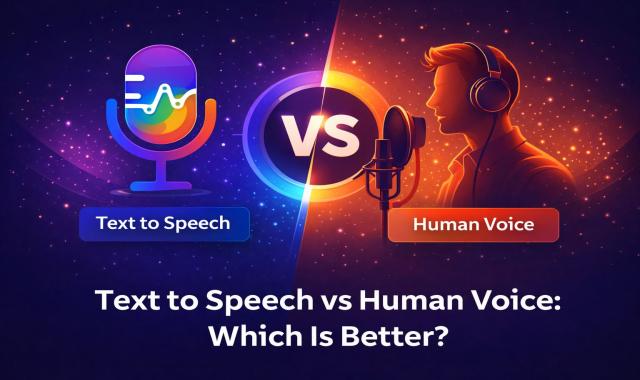
The rise of AI voice technology has changed how creators produce audio content. From YouTube videos to podcasts and e-learning, text-to-speech (TTS) tools are now competing directly with human voice actors.But which one is actually better?In this guide, we compare text to speech vs human voice across quality, cost, speed, scalability, and real-world use cases — so you can choose the best option for your projects.What Is Text to Speech (TTS)?Text to speech is an AI technology that converts written text into spoken audio using synthetic voices.Modern platforms like AiVoices.Pro use advanced neural voice models that can produce:Natural intonationEmotional toneMultiple languagesDifferent speaking stylesToday’s best AI voices sound surprisingly human.What Is a Human Voiceover?A human voiceover is recorded by a real voice actor using professional recording equipment.This traditional method offers:Authentic emotional deliveryNatural breathing patternsUnique voice personalityStudio-quality recordingsHuman narration has been the gold standard for decades.Head-to-Head ComparisonLet’s break down the key differences.1. Voice Quality🟢 Human Voice — Still the Gold Standard (But Narrowing)Human voices naturally deliver subtle emotions, micro-pauses, and imperfect speech patterns that feel authentic.Pros:Maximum emotional depthNatural imperfectionsUnique personalityStrong storytelling impactCons:Quality varies by actorRequires recording setupHarder to edit after recording🟣 Text to Speech — Rapidly ImprovingModern AI voices have improved dramatically and can sound very realistic when used correctly.Pros:Consistent clarityMultiple voice optionsAdjustable tone and speedNo recording noiseCons:May still sound slightly synthetic in some casesEmotional nuance can be limited at extreme levels✅ Winner (2026): Close — humans lead slightly for high-emotion content.2. Cost ComparisonHuman Voice CostsHiring voice actors typically costs:$50–$500 per short project$200–$2,000+ for professional workOngoing costs for revisionsAI Text to Speech CostsWith platforms like AiVoices.Pro:Much lower monthly costUnlimited scalingNo per-recording feesInstant revisions✅ Winner: Text to Speech (by a large margin)3. Speed and Production TimeHuman Voice WorkflowTypical process:Write scriptHire voice actorWait for recordingRequest revisionsFinal delivery⏱️ Timeline: hours to days.AI Voice WorkflowWith TTS:Paste scriptSelect voiceClick generateDownload⏱️ Timeline: seconds to minutes.✅ Winner: Text to Speech (massive advantage)4. ScalabilityThis is where AI dominates.Human Voice LimitationsScheduling requiredPer-project costsHard to produce bulk contentVoice consistency challengesAI Voice AdvantagesGenerate unlimited audioPerfect voice consistencyIdeal for YouTube automationEasy multilingual expansion✅ Winner: Text to Speech5. Editing and FlexibilityHuman VoiceChanging one sentence often requires:Re-booking the actorPaying extraWaiting againAI VoiceYou can:Edit text instantlyRegenerate in secondsTest multiple versionsAdjust tone anytime✅ Winner: Text to Speech6. Best Use Cases for Each🟣 When Text to Speech Is BetterTTS is ideal for:Faceless YouTube channelsEducational contentProduct videosTikTok/Reels narrationAudiobooks (fast production)Multilingual contentHigh-volume content farms🟢 When Human Voice Is BetterHuman narration still wins for:Emotional storytellingHigh-end commercialsMovie trailersCharacter actingPremium brand adsDramatic podcastsThe 2026 Verdict: Which Is Better?Here’s the honest answer:👉 For most creators and businesses → Text to Speech wins👉 For high-emotion premium content → Human voice still leadsThe gap is shrinking fast.For YouTube automation, marketing videos, and scalable content, AI voices like those on AiVoices.Pro are now the smarter choice in most cases.Pro Tips: How to Make AI Voice Sound More HumanIf you choose text to speech, follow these tips:✅ Write conversational scripts✅ Use proper punctuation✅ Choose the right voice style✅ Slightly slow the speech rate✅ Add light background music✅ Break long sentencesThese small tweaks dramatically improve realism.Final ThoughtsThe question is no longer “Can AI replace human voice?”The real question is:“Which option fits your workflow and budget?”For speed, cost, and scalability, text to speech is dominating. For emotional depth and premium storytelling, human voice still has an edge.Most successful creators today use a smart mix of both.FAQIs text to speech good for YouTube monetization?Yes. Many monetized YouTube channels successfully use AI voiceovers, provided the content follows YouTube policies.Can AI voices sound completely human?Modern AI voices are very close, but in highly emotional performances, trained human actors may still sound more natural.Is text to speech cheaper than hiring voice actors?Yes — significantly cheaper, especially for ongoing or high-volume content.👉 Ready to generate your own realistic AI voice?Try AiVoices.Pro and create professional voiceovers in seconds.
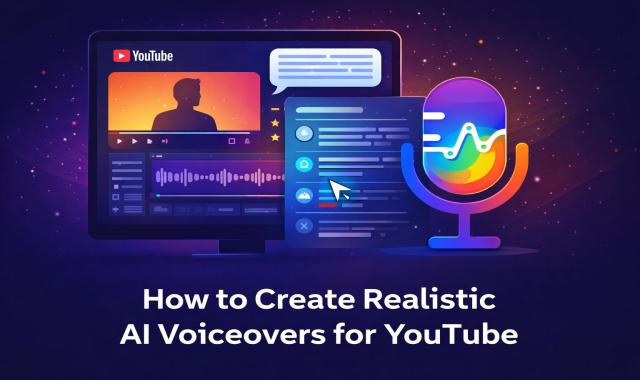
Creating professional voiceovers for YouTube used to require expensive microphones, recording studios, and hours of editing. Today, thanks to advanced AI voice technology, you can generate natural-sounding voiceovers in minutes.In this guide, you’ll learn exactly how to create realistic AI voiceovers for YouTube — even if you’re a complete beginner.Why Use AI Voiceovers for YouTube?AI voice generation has become extremely popular among YouTubers, marketers, and content creators.Key benefits:✅ No need for recording equipment✅ Save hours of production time✅ Consistent voice quality✅ Multiple voice styles and languages✅ Perfect for faceless YouTube channels✅ Cost-effective compared to hiring voice actorsMany successful YouTube automation channels now rely heavily on AI voice technology.Step 1: Write a Natural-Sounding ScriptEven the best AI voice cannot fix a robotic script. Your script must sound conversational.Tips for better scripts:Write like you speakUse short sentencesAdd pauses with punctuationAvoid complex jargonRead it out loud before generatingExample (bad):In today’s technologically advanced digital ecosystem…Example (good):Today, we’re going to look at something really interesting.💡 The more human your script sounds, the more realistic your AI voice will be.Step 2: Choose the Right AI VoiceVoice selection is critical for realism.When using AiVoices.Pro, choose a voice that matches your content style:For YouTube niches:🎮 Gaming → energetic, youthful voice📚 Education → clear, calm, authoritative💼 Business → professional and confident🎬 Storytelling → warm and expressive🤖 Tech content → neutral and modernPro tip: Avoid voices that sound overly synthetic or overly dramatic unless your niche requires it.Step 3: Adjust Voice Style and EmotionModern AI voices allow style control — this is where realism improves dramatically.Inside AiVoices.Pro, experiment with:Speaking style (calm, casual, dramatic)Speed and pacingTone variationEmphasis where neededBest practice:Slightly slower speed = more naturalModerate expressiveness = more humanAvoid extreme settingsSmall adjustments make a big difference.Step 4: Add Proper Punctuation for Natural FlowAI voices rely heavily on punctuation cues.Use punctuation strategically:Periods (.) → full stopCommas (,) → short pauseEllipses (…) → longer pauseQuestion marks (?) → rising toneLine breaks → natural breathingExample optimized script:Welcome back to the channel.Today, we’re testing something new…Can AI voices really sound human?This dramatically improves realism.Step 5: Generate and Preview the VoiceNow it’s time to generate your voiceover using AiVoices.Pro.Quick workflow:Paste your scriptSelect your voiceChoose style settingsClick generatePreview the audioDownload the final fileAlways preview before downloading.Step 6: Post-Process for Studio Quality (Optional but Powerful)Want truly professional results? Add light audio polishing.Recommended tweaks:Normalize audio volumeAdd light compressionRemove silence gapsAdd subtle background musicSync with video cutsEven basic editing in tools like:AudacityAdobe AuditionCapCutPremiere Pro…can elevate your AI voice significantly.Step 7: Match Voice Timing to Your VideoFor YouTube success, timing matters.Best practices:Sync voice with visualsAvoid long dead airKeep pacing engagingUse background music carefullyAdd subtitles for retentionWell-timed narration keeps viewers watching longer — which boosts your YouTube algorithm performance.Common Mistakes to AvoidMany beginners make these errors:❌ Using overly fast speech❌ Choosing the wrong voice style❌ Writing robotic scripts❌ Ignoring punctuation❌ Skipping audio preview❌ Over-processing the voiceAvoid these and your AI voice will sound dramatically more natural.Pro Tips for Ultra-Realistic AI VoiceoversIf you want next-level quality:🔥 Use contractions (you’ll, it’s, we’re)🔥 Add natural filler words sparingly🔥 Break long paragraphs into lines🔥 Use emotional cues in your script🔥 Keep sentences under 20 words🔥 Test multiple voices before choosingProfessional creators always test several versions.Final ThoughtsAI voice technology has reached an incredible level of realism. With the right script, voice selection, and fine-tuning, you can produce YouTube voiceovers that sound almost human.The key is not just the tool — it’s how you use it.👉 Ready to create your own AI voiceover?Try AiVoices.Pro and generate studio-quality narration in minutes.FAQIs AI voice allowed on YouTube?Yes. YouTube allows AI-generated voices as long as the content follows their policies and does not mislead viewers.Can I monetize videos with AI voice?Yes, in most cases. Many monetized channels use AI voiceovers successfully.How do I make AI voice sound more human?Focus on natural scripts, proper punctuation, moderate speed, and expressive voice settings.

Our AI Voice Generator: Trusted for professional video creation.
Trusted by top brands and creators worldwide to turn simple images into stunning professional visuals.